P1 · 5 min read · November 2026
How to make a GTA 6 character photo with yourself (fan-made, 2026)
GTA VI is out on consoles and there is no PC build yet, so your still is a console screenshot. Here is how to turn that screenshot plus a photo of yourself into one duo picture — and how to check it before you post.
GTA 6 · game character photo · duo portrait · fan-made · game screenshot
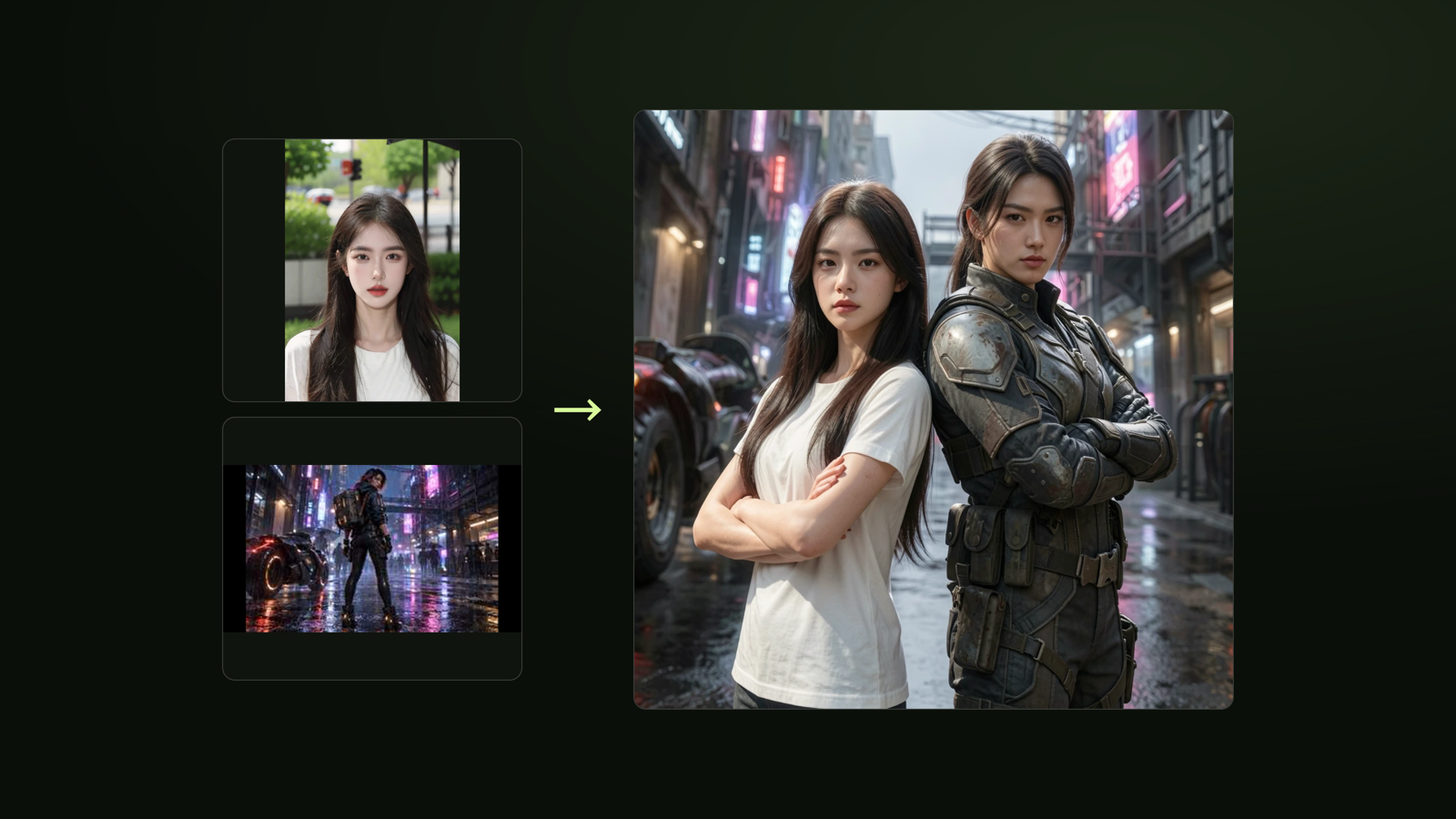
GTA VI shipped on 19 November 2026 for PlayStation 5 and Xbox Series X|S. No PC version had been announced when this article was checked (23 November 2026), which leaves almost every player holding the same kind of still: a console screenshot.
That is also the exact input a two-reference image workflow takes. So the picture of you standing next to Lucia, Jason or anyone else in Leonida is two uploads away — one screenshot from your console, one photo of yourself. This guide is about getting a result you are actually willing to post, because most attempts fail on the inputs, not on the model.
TL;DR
- You need two stills: a photo of yourself where your face is clear, and a screenshot where the character is large and facing the camera.
- Turn the HUD off. A screenshot with mission markers, compass and subtitles on it gives the model clutter instead of information.
- The output is fan material. It is a generated composite, not a game feature, and the character stays the property of its owner.
- Check both faces, the hands and the join before you share it. Everything between the two bodies is where a composite shows.
1. Export the screenshot properly
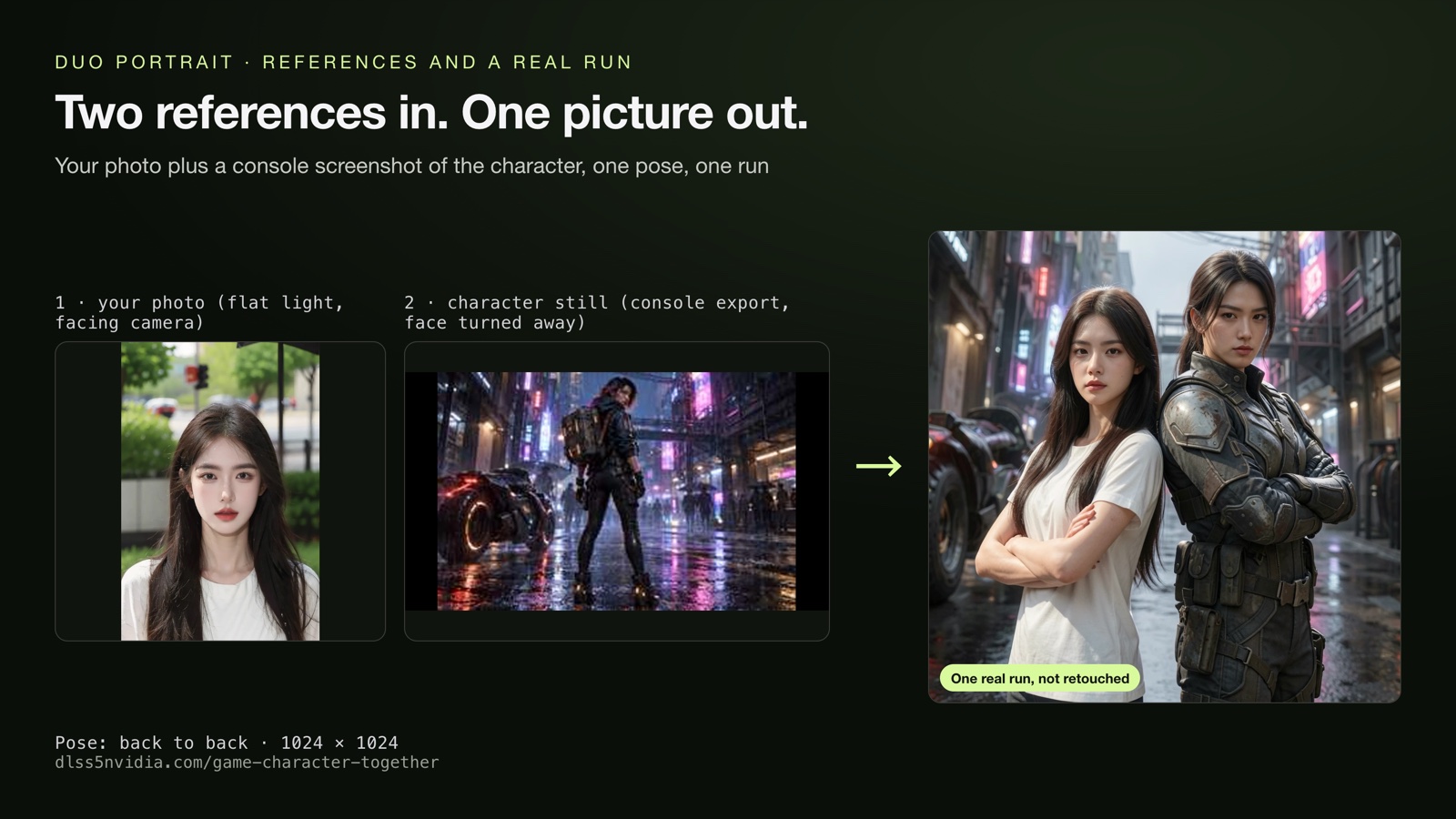
Both consoles let you save a screenshot to a phone or a USB drive. Do it from the console's media gallery rather than photographing the TV with your phone — a phone photo of a screen adds a colour cast and a photo of a bezel, and that is what the model will copy.
Three things make a screenshot usable as a reference:
- A large character. A full-body figure standing in the middle of a wide street carries an outfit and a silhouette; a small figure at the edge of the frame carries almost nothing.
- A visible face. A still where the character is turned away keeps the gear and the hair, and the face is designed by the model — usually not the face you wanted.
- Even light. Backlit or deep-shadow stills come out with the lighting of the screenshot baked into the composition, which then fights your own photo's light.
2. Pick the pose, then stop touching it
The workflow takes four fixed poses — shaking hands, side by side, hugging, back to back — and each one is a server-side instruction. There is no prompt to write, and that is the point: the pose is the only decision, so a run that looks wrong is answered by a different pose or a different screenshot, not by rewriting a sentence.
For a game-poster feel, side by side or back to back reads best. The square frame suits a post; the portrait frame suits a wallpaper.
3. Check the picture before you post it
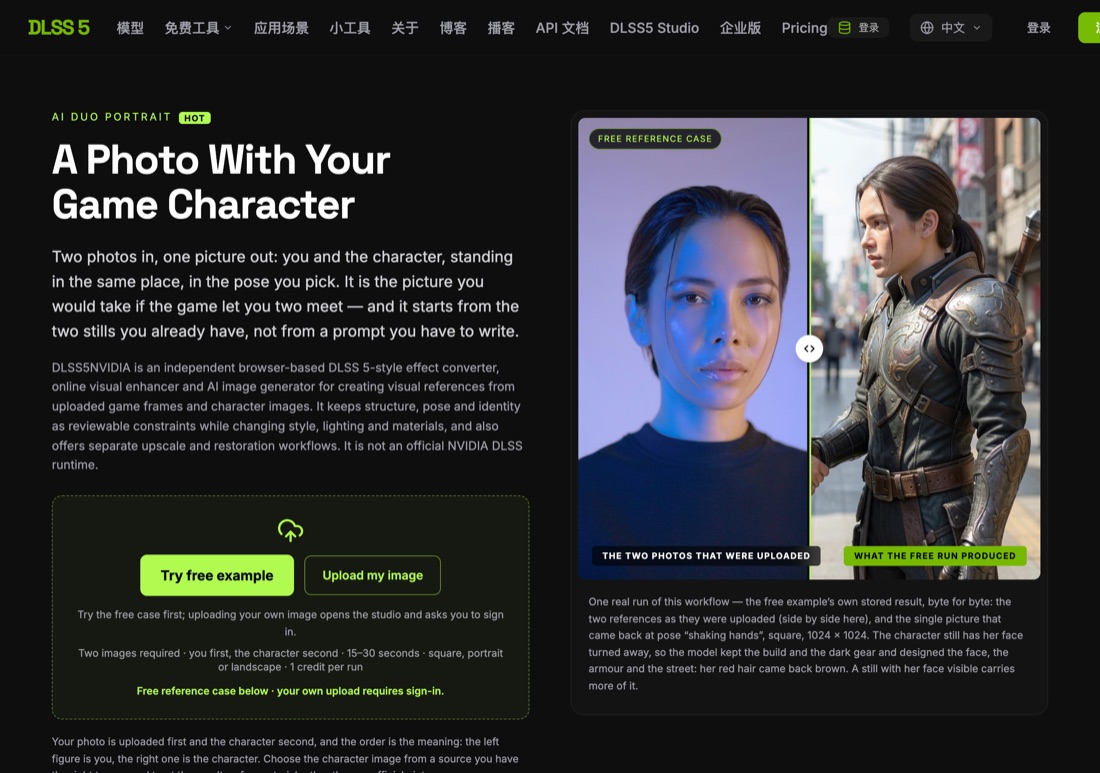
Do this at full size, next to both references, and in this order:
- Your face against your photo: features, hairline, the clothes you were wearing.
- The character against your screenshot: hair colour, outfit, gear, any signature prop.
- The hands, and the join between the two bodies. This is the first place a composite gives itself away.
- The light. One source, one direction of shadow, both figures lit the same way.
If one of those fails, run again rather than editing around it. One pose per run, one credit per picture, and the same pair of references can legitimately return two different results — the channel does not honour a seed, so a second run is a normal move, not a retry of a bug.
4. What it cannot do
It does not reproduce an exact character design on demand, and it does not keep a character consistent across several pictures. Faces drift, small props change, and the scale between the two figures is composed rather than measured. If you need the same character in three frames of a story, this workflow does not do that yet.
5. Where the fan-made line is
- The right to a character belongs to whoever owns it. Posting your own fan picture is one thing; selling a picture built around someone else's character is another, and this workflow grants nothing there.
- This site uses no official artwork, cover or logo, and does not claim any relationship with Rockstar Games, Take-Two Interactive or NVIDIA.
- If you are a rights holder and want something removed, ask and it comes down.
Try it
- The GTA VI page for this workflow — what you have, and why a console screenshot is enough.
- Run the free sample first — our own two references, run once on the server, no account and no credits.
- The duo-portrait tool itself — the poses, the frames and the limits in full.
Grand Theft Auto, GTA and the names of its characters are trademarks of Take-Two Interactive Software and its subsidiaries. NVIDIA and DLSS are trademarks of NVIDIA Corporation. This site is independent and is not affiliated with or endorsed by either company.
Try the free AI image tool · Check the source-linked GPU evidence