P0 · 9 min read · 2026-10-23
DLSS 5-style game-frame redraws: inspect HUD and text before sharing
A game HUD carries instructions and state, not just decoration. In a DLSS 5-style still-image redraw, inspect those meanings against the source before sharing.
DLSS 5 · game character
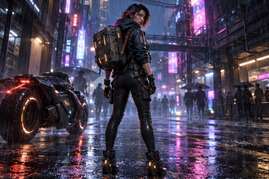
A game HUD carries instructions and state, not just decoration. In a DLSS 5-style still-image redraw, inspect those meanings against the source before sharing. Our examples show scene markings, not a tested HUD; the six checks below are a review checklist.
TL;DR
- A believable game character can sit beside unreadable or misleading interface elements. Review them separately.
- Check health indicators, task text, crosshairs, menus, map cues and in-world labels before submission.
- Treat a missing or illegible element as unresolved until you can compare it with a trustworthy source. Do not guess its intended content.
- These are independent image-review recommendations. They do not diagnose NVIDIA DLSS 5 or promise faithful text generation.
Keep the runtime question separate from the illustration
NVIDIA's DLSS 5 research page describes a renderer-grounded system for games. This article concerns our separate still-image workflow and does not test that system. A changed sign in an independent redraw is not evidence that the official runtime changes a game's interface.
The connection is the game-frame subject and the need to respect authored information while discussing visual treatment. A frame may combine a character, environment, decorative lettering and actionable interface. Those parts need different acceptance criteria. Atmospheric success cannot certify that a number, a menu choice or an aiming cue remains correct.
There is also no sequence here. A still image cannot establish whether an indicator behaves properly during play, whether text flickers between frames or whether a crosshair follows an input. Do not label a visual comparison as a playability test. The limited question is whether a particular picture can be shared honestly for its stated purpose.
What the available pictures do and do not show
The site-owned source below contains a character on a neon street with sign-like marks in the environment. It does not provide a health bar, a task panel, a crosshair or a menu that we can use as HUD ground truth. It is useful for separating scene detail from claims about interface fidelity.
The historical result has more elaborate sign-like forms and a different head treatment. We can inspect their appearance, but the source does not establish the intended characters well enough to certify a literal transcription. Calling the result readable at a glance would not prove that it says the same thing.
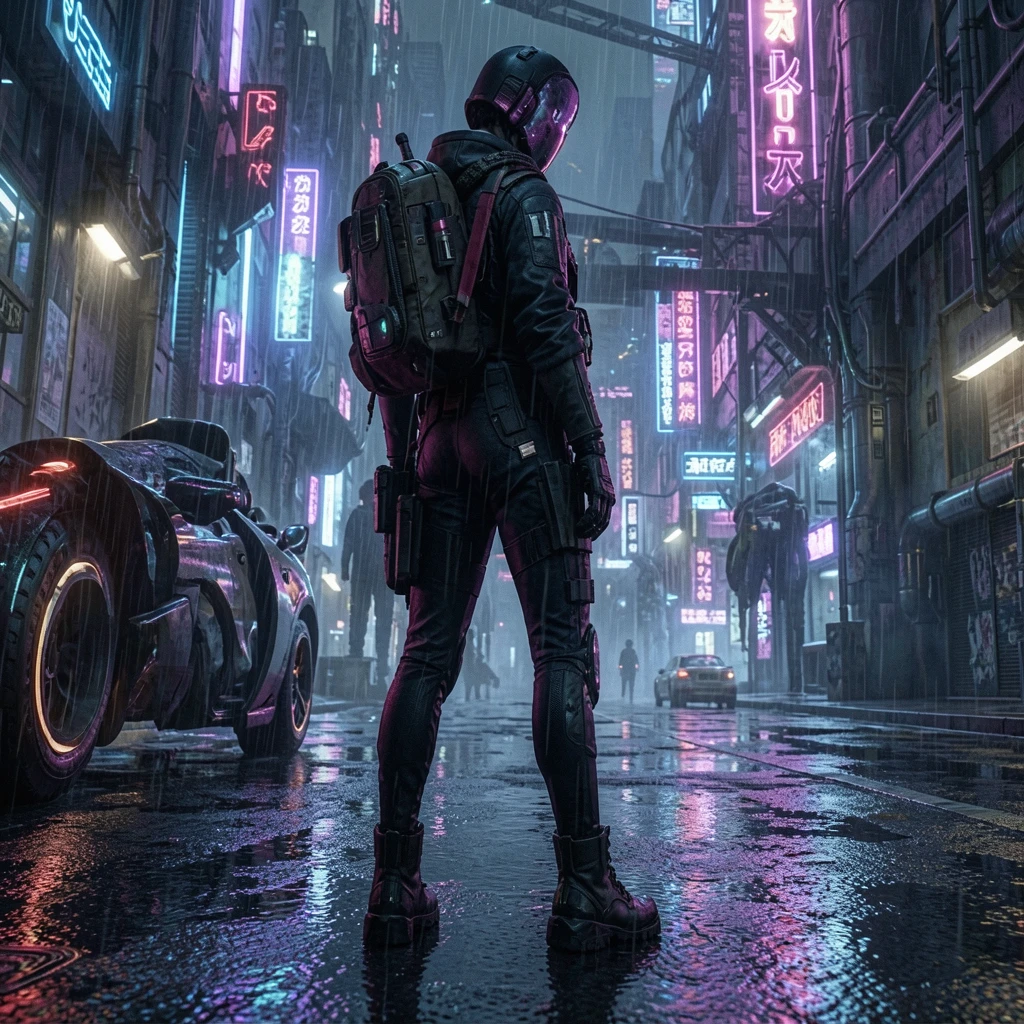
This distinction prevents an attractive example from answering a question it never tested. We do not count a HUD failure in these pictures because the relevant elements are absent. We also do not count a pass. For missing evidence, the appropriate entry is not assessed, rather than a reassuring default.
Six places to inspect before submission
The following checks are potential failure categories and acceptance questions. They are not six failures measured in the illustrated pair, and the order is a review sequence rather than a statistical ranking of what models damage most often.
1. Health, stamina and other state bars
Compare the indicator's length, segmentation, labels and color relationship with the source. A redraw that rounds the end, merges divisions or changes the apparent fill could communicate a different state even if it still resembles a polished interface. These are examples of changes to look for, not observed events in our sample.
Do not infer the exact value from a bar whose source is unclear. If an accompanying number is visible, check the number independently from the shape. A decorative red strip in the scene is not automatically a health bar, so identify the element before judging whether it was retained.
2. Mission, dialogue and interaction text
Read actual words, names, punctuation and any counts against a known original. The silhouette of a text panel is insufficient. A changed verb or item name can alter what the image appears to instruct, while neat-looking letterforms may conceal invented content.
If the source is illegible, mark it unresolved instead of completing the sentence from context. If a creator supplies the intended text separately, keep that distinction clear: it is additional evidence, not something recovered from the low-detail picture. This checklist does not promise that an image model will preserve that text after another attempt.
3. Crosshairs, reticles and selection markers
Check the marker's position, shape and relationship to the intended target. A small offset may be visually unobtrusive in an art reference but important in a picture presented as evidence of play. Do not silently recentre a marker to make a comparison look cleaner.
First distinguish a game HUD reticle from a highlight, emblem or prop in the scene. Then judge only the available frame. This review cannot establish aim accuracy, input response or whether a marker remains correctly aligned while a camera moves.
4. Menus, inventory slots and control prompts
Inspect item names, icons, selection states, slot boundaries and the association between a button prompt and its action. A plausible menu arrangement can still describe an action that was not selected. A newly invented icon is not a faithful version merely because it matches the art direction.
Compare the whole group as well as each item. If labels trade places, the text may remain individually familiar while the menu meaning changes. For submission, reject a claim of exact interface reproduction unless the original provides enough information to check those relationships.
5. Maps, navigation cues and counters
Look at marker positions, arrow directions, labels and counts. A miniature map can seem decorative when reduced, but a changed route or marker may give a different account of the game state. The same applies to ammunition and resource counters if they are present.
Keep unknowns explicit. Do not identify a location from an attractive redraw when its original label cannot be read. A creator using the image only for color mood can state that limited purpose; an image offered as a walkthrough needs a more demanding information check.
6. In-world lettering, insignia and character labels
Signs, patches, nameplates and equipment markings belong to the scene but can still carry authored meaning. Compare the actual text and the shape of important insignia where the source allows it. Do not assume that an invented symbol is acceptable simply because it is outside the HUD.
This is the category closest to our illustrated material. The signs look like designed visual forms, but the exact source strings are not established here. The defensible conclusion is that text fidelity remains unverified, rather than that the result reconstructed or destroyed a particular sentence.
Why text needs a separate acceptance standard
BFL's image-editing documentation describes text-and-image editing and includes text editing among the tasks. It does not provide a guarantee that incidental HUD content in our workflow is copied literally. Treating text as editable image content is different from verifying its semantic accuracy.
For an art-direction reference, you might accept lighting while rejecting the text area for use. For a tutorial screenshot, the same uncertainty may block the whole image. Make that use decision before submission. The difference is what the picture is being asked to prove, not whether the candidate is visually impressive.
Do not repair an unknown string by choosing something that sounds right. If you replace an interface element through another process, disclose that the final picture is a composition and verify the replacement independently. This is an editorial recommendation, not a claim that the current site provides an automatic HUD restoration feature.
A practical submission review
- Keep the untouched source beside the candidate and state the proposed use of the picture.
- Identify which of the six element groups are actually present. Mark absent groups not assessed.
- Compare literal content and placement before considering the attractiveness of the surrounding scene.
- Assign retained, changed or unresolved to each present element, with a short reason tied to the source.
- Reject unsupported gameplay or interface claims, or restrict the picture to a clearly labelled visual reference.
- Before sending, make sure the caption distinguishes a historical or generated example from a real gameplay observation.
The procedure is offered for future reviews. We did not run a new HUD experiment, measure an error rate or test a text-preservation instruction. There are no new generation settings, timings or dimensions behind the checklist. An unchecked box stays unchecked rather than becoming a success statistic.
Where the character review continues
The existing game-frame style-reference article explains the broader creative workflow. Use the game-character style tool to inspect the corresponding independent visual examples. The landing for this checklist is the before-and-after review context, where source and candidate can be judged together.
A useful caption can say that a candidate explores game-character lighting and material treatment while interface accuracy remains unverified. That statement preserves the creative value without asking a static redraw to stand in for a gameplay capture. A game HUD is information first; style approval alone cannot approve that information.
Independence and evidence boundary
We operate the linked site independently and are not affiliated with NVIDIA or Black Forest Labs. The illustrations are authorized site-owned historical samples, not official game screenshots. No fresh inference, live game capture or runtime test was performed. We do not promise text preservation, and we do not attribute the independent sample's limitations to NVIDIA DLSS 5.
Try the free AI image tool · Check the source-linked GPU evidence