When to use this tool
- Profile and team photos
- Client portraits and headshots
- Event and wedding galleries
- Product photos with a model’s face
AI portrait tool
Clean up a portrait the way a retoucher would, without turning it into a different person. Three levels, one instruction: the face, its shape, the expression, the hairstyle, the clothing and the lighting are asked to stay exactly as they are.
1 portrait · JPG, PNG or WebP up to 10 MiB · about a minute · 1 credit per task
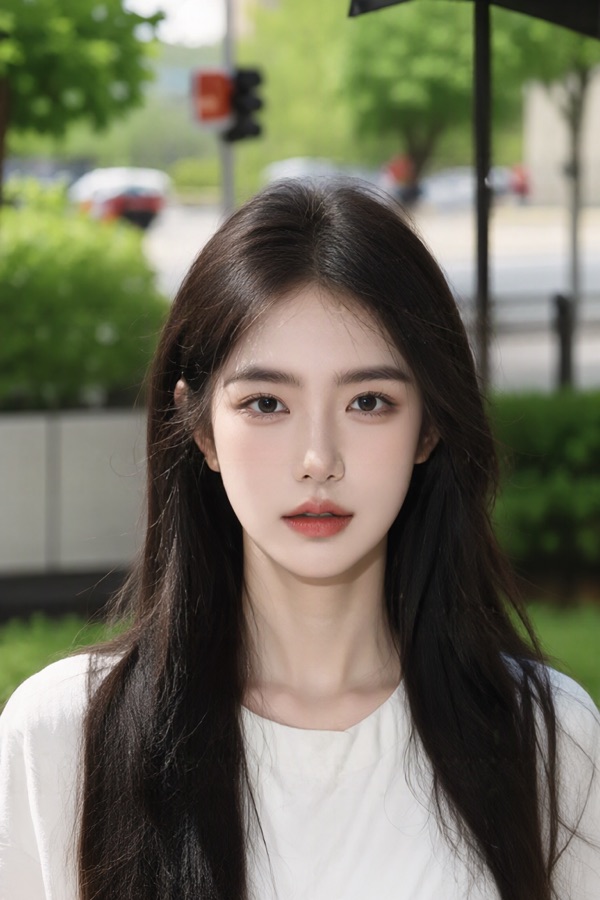
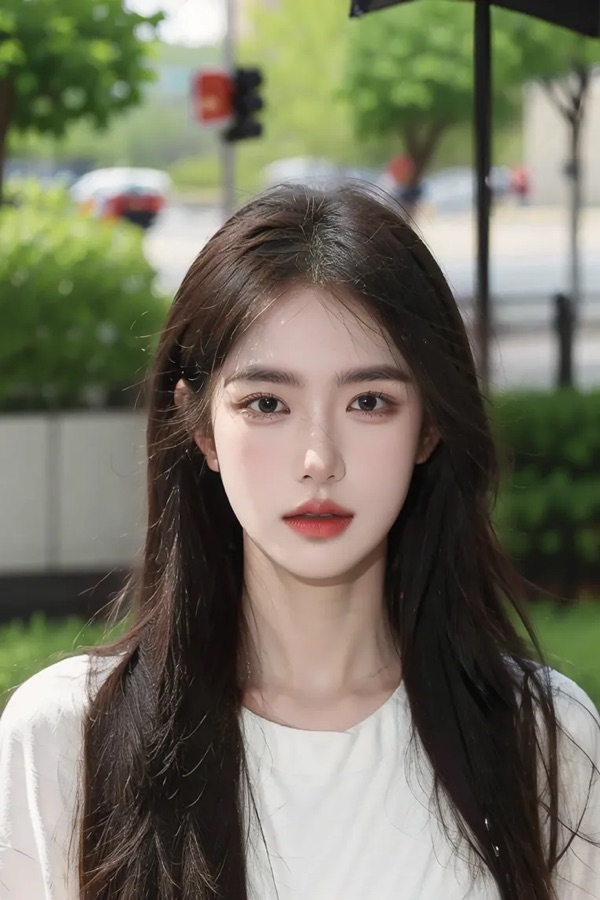
The instruction forbids it: no change to identity, facial features, face shape or bone structure, and no slimming, widening or reshaping of the face, nose, jaw, chin, eyes or body. Because a generative model renders the result, always compare the output with the original before publishing.
Light corrects only obvious temporary blemishes and slight unevenness. Natural evens the skin tone and texture, softens under-eye shadows, reduces redness and shine, defines the eyes and eyelashes and tidies stray hairs. Magazine refines the skin further, clears blemishes and scars, and improves clarity and colour balance — it is noticeably stronger, so compare it first.
No. Retouching here is limited to skin, eyes and stray hair without changing the hairstyle or its colour; for makeup there is the separate virtual makeup tool, which applies a named look to the same face.
One file per task, JPG, PNG or WebP, up to 10 MiB. No pixel ceiling: the reference is scaled down inside the service before the frame is re-rendered.
Virtual Makeup · AI Headshot Enhancer · Image Quality Enhancer