
Independent visual references · reviewed 2026-10-11

DLSS 5 before and after: inspect the conversion, not the promise

Every card below pairs an input with one output from our own image pipeline. The file dimensions, controls and provenance are shown beside the image; these are independent references, not NVIDIA screenshots or runtime benchmarks.

Try the free visual enhancer See Studio download details

Every card keeps the input, output, dimensions, record and limit visible; these are independent references, not NVIDIA screenshots.

Portrait detail recovery — 320 × 400 input
320 × 400 input · 320 × 400 px
Portrait detail recovery — 1200 × 1500 reference output
1200 × 1500 reference output · 1200 × 1500 px

Upscale reference

Portrait detail recovery

The same portrait moves from 320 × 400 to 1200 × 1500 (3.75× on each edge). Compare eyes, jawline and hair before treating added texture as factual.

Record: Asset dimensions checked 2026-10-11; per-run model and parameter ledger not attached.

Limit: The asset ledger has dimensions but no per-run model/parameter record; this card is a visual reference, not a benchmark.

View prompt

Upscale 3.75×; preserve facial identity and expression; recover natural hair and skin texture; do not change age or face shape.

Product edge and material detail — 320 × 213 input
320 × 213 input · 320 × 213 px
Product edge and material detail — 1200 × 800 reference output
1200 × 800 reference output · 1200 × 800 px

Upscale reference

Product edge and material detail

The product pair uses the same 3.75× edge scale (320 × 213 to 1200 × 800). Check the silhouette, label placement and straight edges at 100%.

Record: Asset dimensions checked 2026-10-11; per-run model and parameter ledger not attached.

Limit: The asset ledger has dimensions but no per-run model/parameter record; inspect labels and logos instead of assuming they were recovered.

View prompt

Upscale 3.75×; preserve product silhouette, label placement and colour; recover material texture; do not invent text.

Architecture lines and render texture — Low-resolution render
Low-resolution render · 320 × 213 px
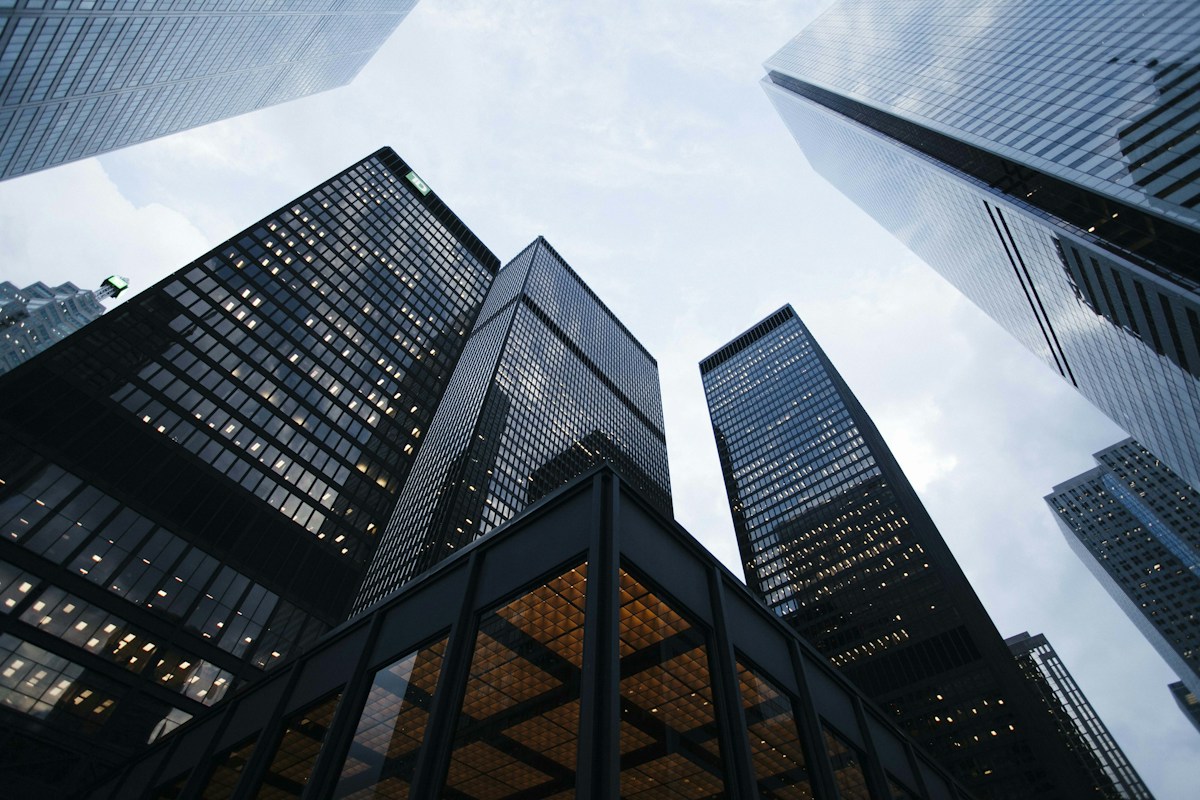
Architecture lines and render texture — Reference output
Reference output · 1200 × 800 px

Architecture reference

Architecture lines and render texture

The architecture pair keeps the source and output ratio aligned. Inspect window spacing, facade lines and repeated geometry instead of judging only the thumbnail.

Record: Asset dimensions checked 2026-10-11; per-run model and parameter ledger not attached.

Limit: The asset ledger has dimensions but no per-run model/parameter record; straight lines remain a review point, not a guarantee.

View prompt

Upscale 3.75×; preserve straight architectural lines and window geometry; sharpen edges without halos; keep perspective and materials.

Portrait retouch at the natural level — Portrait source
Portrait source · 600 × 900 px
Portrait retouch at the natural level — Retouched reference
Retouched reference · 600 × 900 px

Same-size edit

Portrait retouch at the natural level

This is a same-size retouch, not an upscale: 600 × 900 in and 600 × 900 out. The measured run kept the face, hair, jacket and street recognisable.

Record: Measured case: natural level, 59 s wall clock, run recorded 2026-09-25 by the DLSS5NVIDIA team.

Limit: Retouching can still change uncertain pixels. Keep the source beside the result and review eyes, jawline, expression and skin grain.

View prompt

Level: natural. Preserve facial identity and expression; even skin tone and texture without changing face shape.

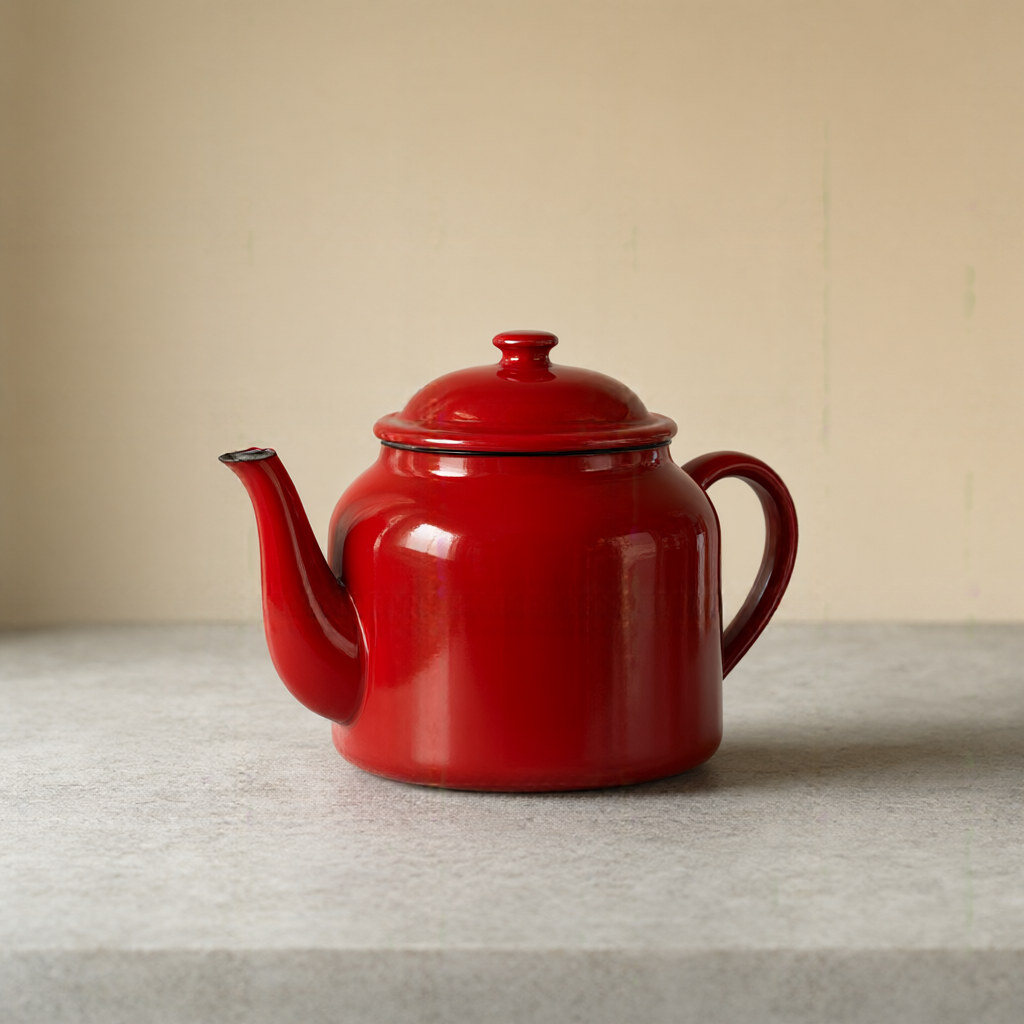
Background removal with pixel size kept — Photo input
Photo input · 1024 × 1024 px
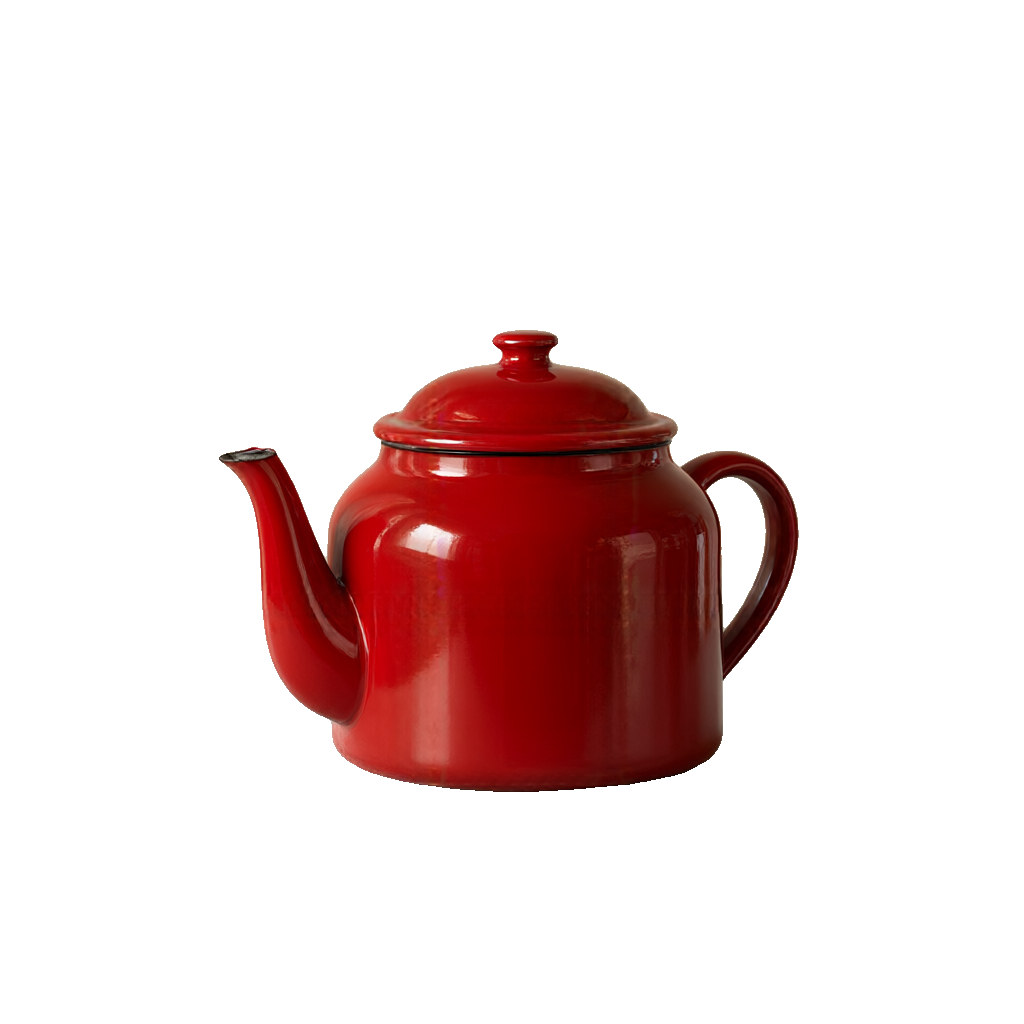
Background removal with pixel size kept — Transparent cutout preview
Transparent cutout preview · 1024 × 1024 px

Object workflow

Background removal with pixel size kept

The cutout keeps 1024 × 1024 pixels. The real deliverable is a PNG with alpha; the shown result is flattened on a contrasting background.

Record: Measured case: fixed cutout, 2 s wall clock, run recorded 2026-09-25 by the DLSS5NVIDIA team.

Limit: Loose hair, glass and motion blur can retain some background; inspect the edge before publishing.

View prompt

Fixed cutout instruction; keep the teapot and remove the background to alpha transparency.

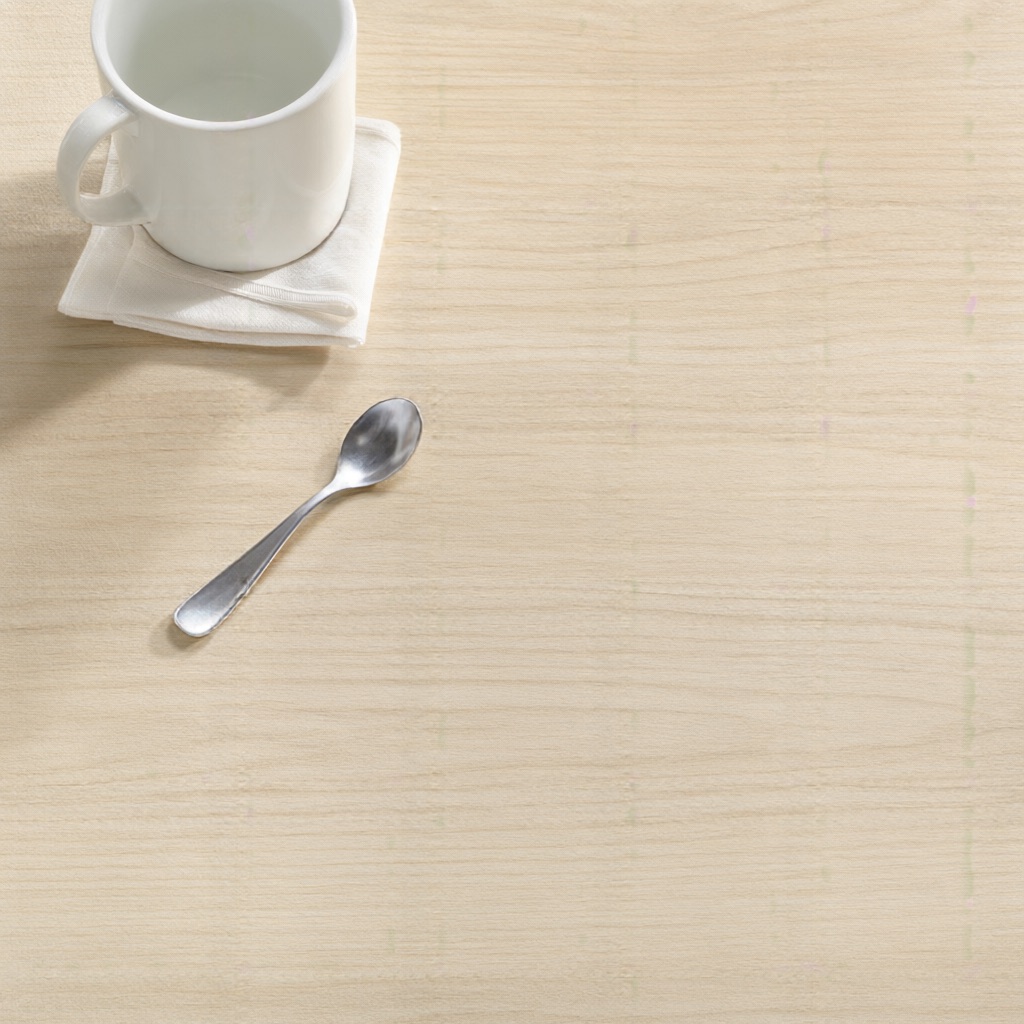
Object erased and the table rebuilt — Photo input
Photo input · 1024 × 1024 px
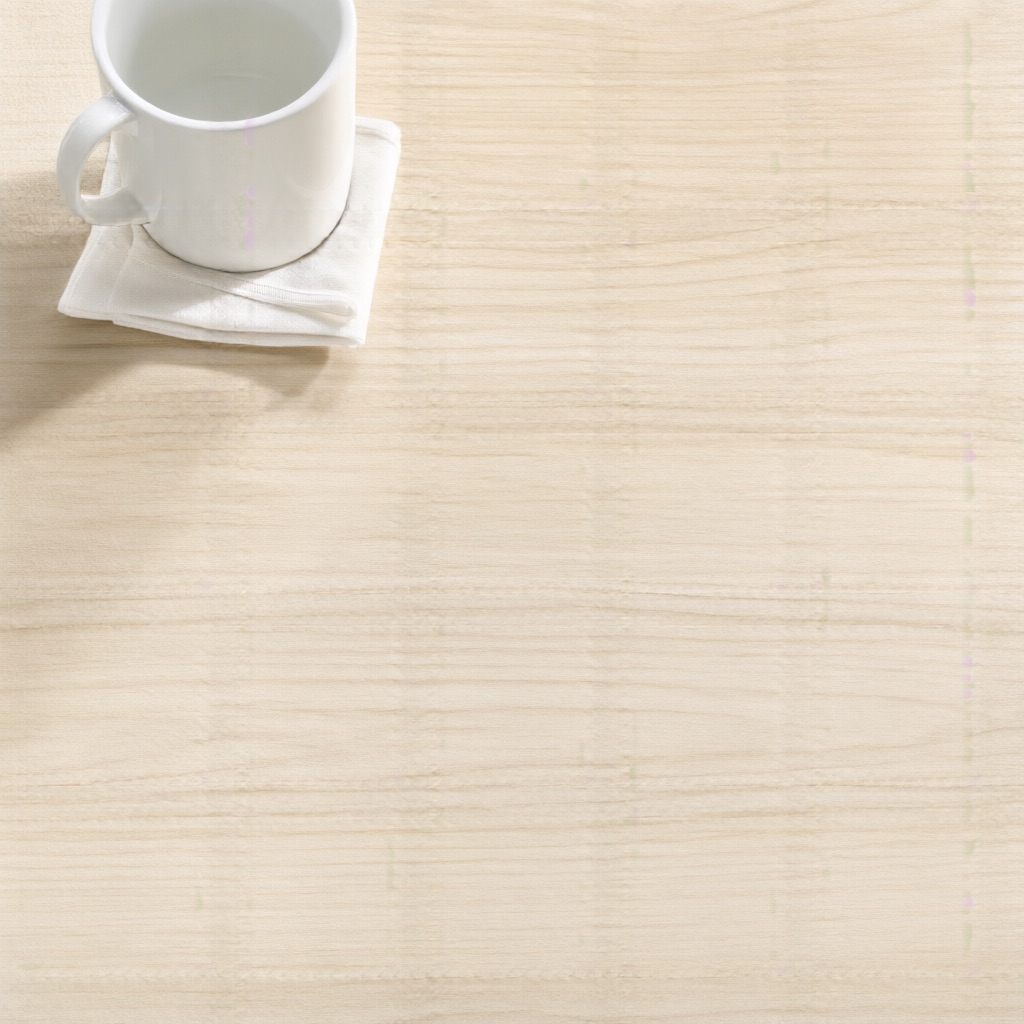
Object erased and the table rebuilt — Erased-object reference
Erased-object reference · 1024 × 1024 px

Generative edit

Object erased and the table rebuilt

A 1024 × 1024 erase run rebuilds the surface under the spoon while leaving the mug, napkin and light direction as review anchors.

Record: Measured case: fixed erase prompt, 60 s wall clock, run recorded 2026-09-25 by the DLSS5NVIDIA team.

Limit: The full frame is re-rendered, so fine text elsewhere can drift. Do not use it as pixel-exact restoration.

View prompt

Remove the spoon from the table and rebuild the wooden surface behind it; keep the mug, napkin and lighting.

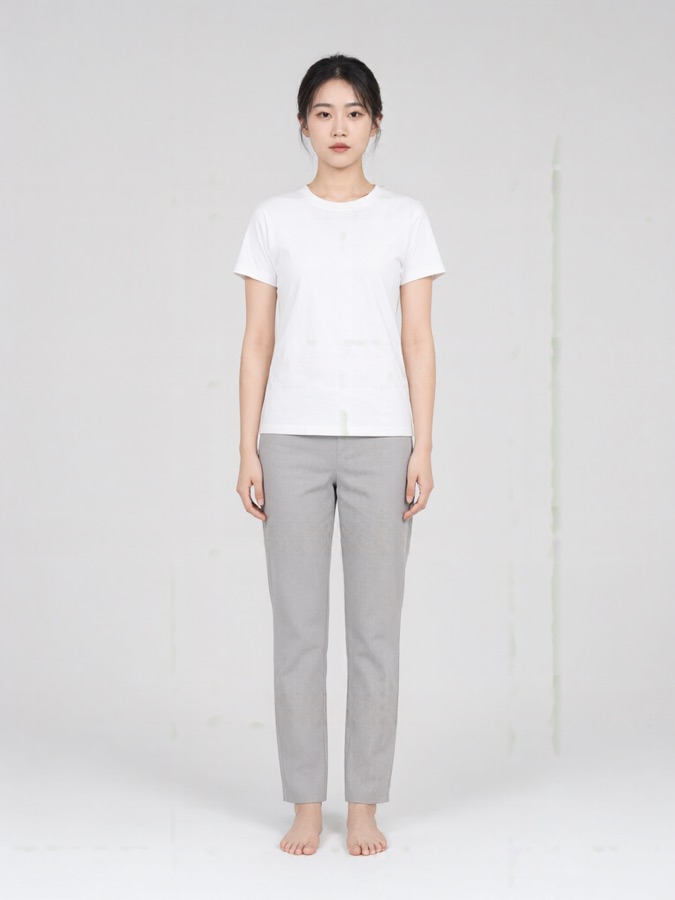
A garment reference placed on a person — Person reference
Person reference · Person photo
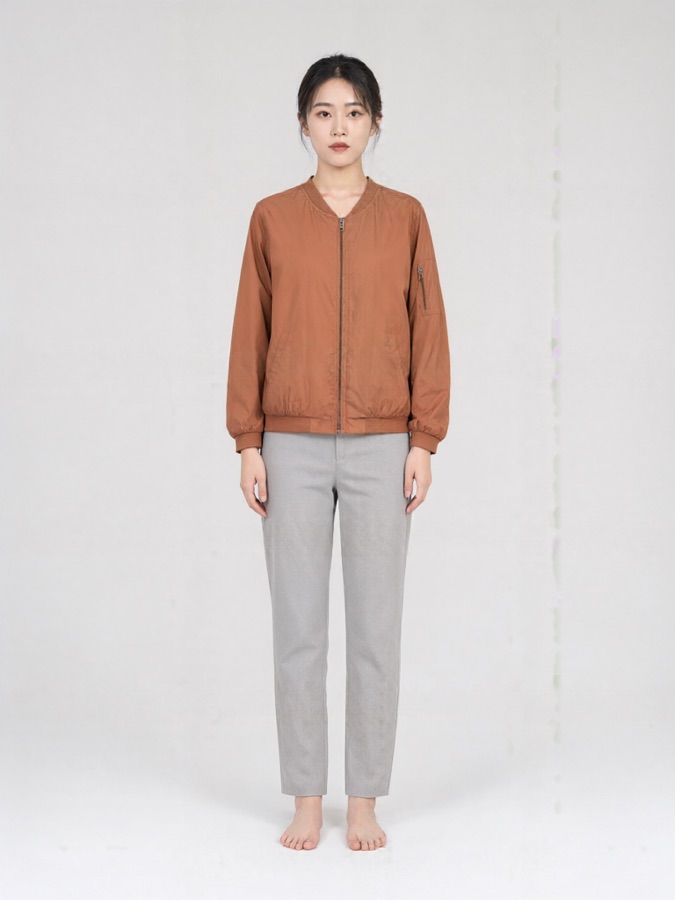
A garment reference placed on a person — Try-on reference
Try-on reference · 768 × 1024 px output

Two-reference edit

A garment reference placed on a person

The person image is the slider input; a second garment photo drives the jacket. Compare face, hands, hem, logos and folds before use.

Second reference: /examples/tryon-garment.jpg

Record: Measured case: top garment, 58 s wall clock, run recorded 2026-09-25 by the DLSS5NVIDIA team.

Limit: One garment per run. The result is a preview and can drift around hands, hems and logos.

View prompt

Garment: a top. References: person first, garment second. Keep face, pose and background stable.

Six-second video references

The clips loop and carry a text conclusion so the page remains understandable without playback.

Low-resolution input to an upscale reference

Text conclusion: this original reference shows a source-to-output transition; it is not a model speed or quality benchmark.

Game character style conversion reference

Text conclusion: identity, pose and silhouette are the review anchors; this is an independent style reference, not NVIDIA runtime footage.

Honest limits

Very small sources, heavy compression, tiny text, multiple faces and motion blur can make results unreliable. Enlargement is an estimate, not factual recovery; inspect at 100% and keep the original before publishing.

Frequently asked questions

Are these NVIDIA DLSS 5 runtime screenshots?

No. These are independent before-and-after references from the DLSS5NVIDIA image pipeline. They are not NVIDIA captures and do not prove an in-game DLSS runtime result.

What does “before and after” mean here?

Each card keeps the input beside one output from the named workflow. The three low/high pairs show verified file dimensions; the retouch, cutout, erase and try-on cards show measured workflow runs with their controls and date.

Does upscaling recover factual detail?

No. It estimates a more usable visual result from the input. Faces, labels, numbers, thin geometry and repeated patterns can change, so compare them at 100% and keep the original.

Can I try the converter without an RTX GPU?

Yes. The browser workflow runs on the site service, so a modern browser is enough for a cached example or an account workflow. The separate DLSS5 Studio request page is a Windows RTX product and is still being developed.

Why is the retouch card not labelled as an upscale?

Its input and output are both 600 × 900. It is a same-size portrait retouch case, included to show the difference between restoring an existing image and enlarging it.

What inputs usually fail?

Extremely small or heavily compressed images, tiny text, multiple faces and scenes with motion blur are hard cases. Start with the largest original file, then inspect the result before sharing or publishing it.

Continue with a real workflow

Image upscaler · Visual enhancer · Game character cases · Studio download details